My AI Wrapped
Your Year
In AI Wrapped
Drop your chat exports. Supports ChatGPT, Claude, Gemini, Grok.
Data never leaves your device (100% Private)
+
Drop ZIPs here
or click to upload (multiple allowed)
↓
Scroll to see instructions
↓
How It Works
Three steps. No sign-up. No data ever leaves your browser.
1
Export Your Data
Go to your AI platform settings and request a data export. You'll get a ZIP file.
2
Drop It Here
Drag your ZIP file(s) into the upload zone. Multiple files? No problem.
3
Get Wrapped
See your personalized stats, patterns, and insights. Instantly.
Export Instructions
Follow these detailed guides to export your data from each platform. Click on any platform to expand the full instructions with screenshots.
Step-by-Step Instructions
- 1Sign in to ChatGPT at chatgpt.com
- 2Click your profile icon in the top right corner
- 3Select "Settings"
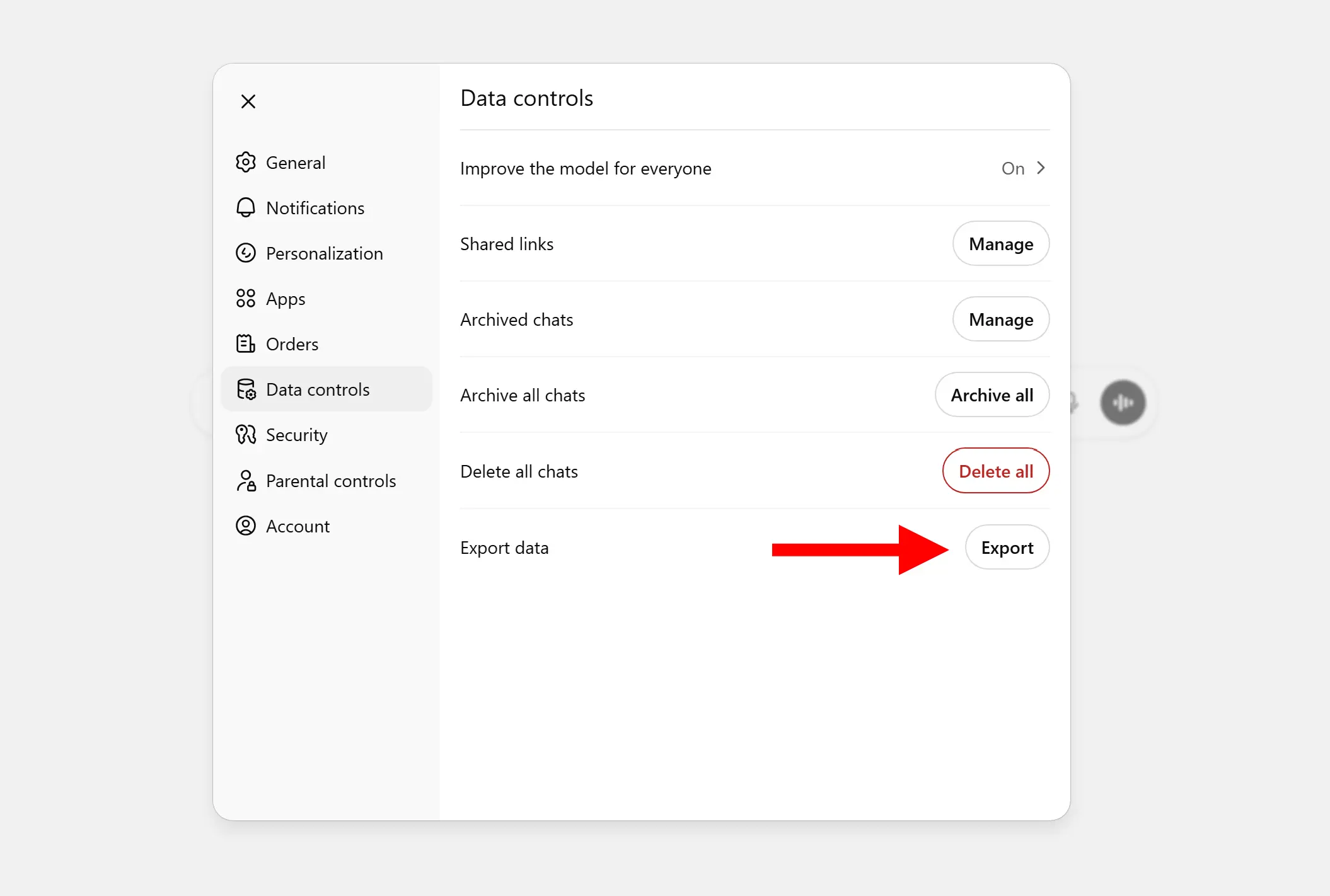
- 4Click "Data Controls" in the left sidebar
- 5Under "Export Data", click "Export"
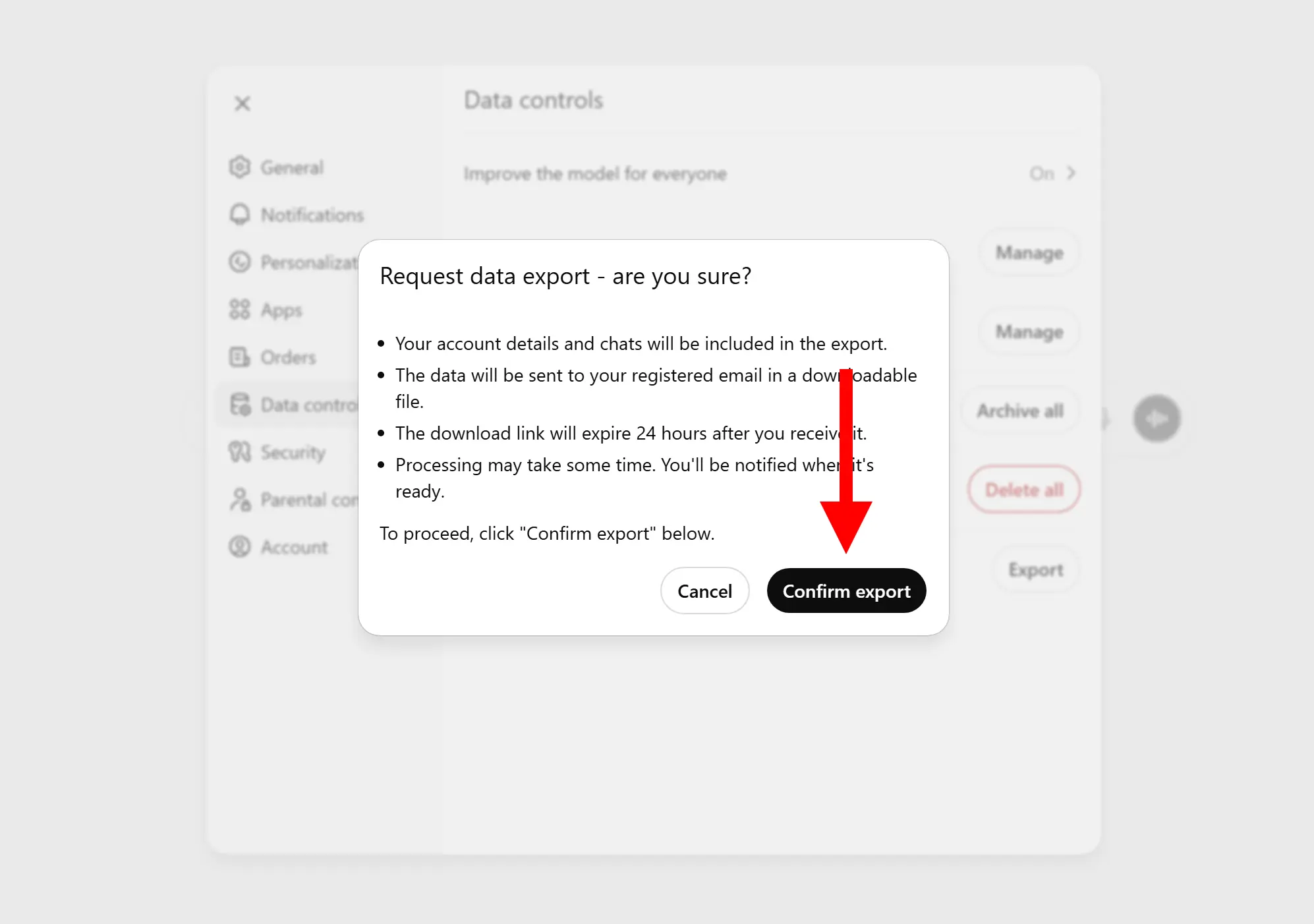
- 6Click "Confirm export"
- 7Check your email - you'll receive a download link within minutes
- 8Click "Download data export" in the email to get your ZIP file
Visual Guide
Frequently Asked Questions
Everything you need to know about AI Wrapped